
WordPress · WooCommerce
NZDeals Reviews plugin
Show trusted NZDeals ratings on any WordPress site. With WooCommerce, send post-purchase review invitations automatically. Most stores are live after three steps.
Copy your API key
Sign in to the portal → Integrations. Your Default key is ready — click Copy.
Paste in WordPress
Install NZDeals Reviews → open the settings page → paste the key → Save → Verify.
Add the shortcode
Put [nzdeals_reviews] on any page or use the widget. Publish.
1. Create or copy your API key
Open portal → Store → Integrations. New stores get a Default key automatically. Copy it once (it starts with nzd_).
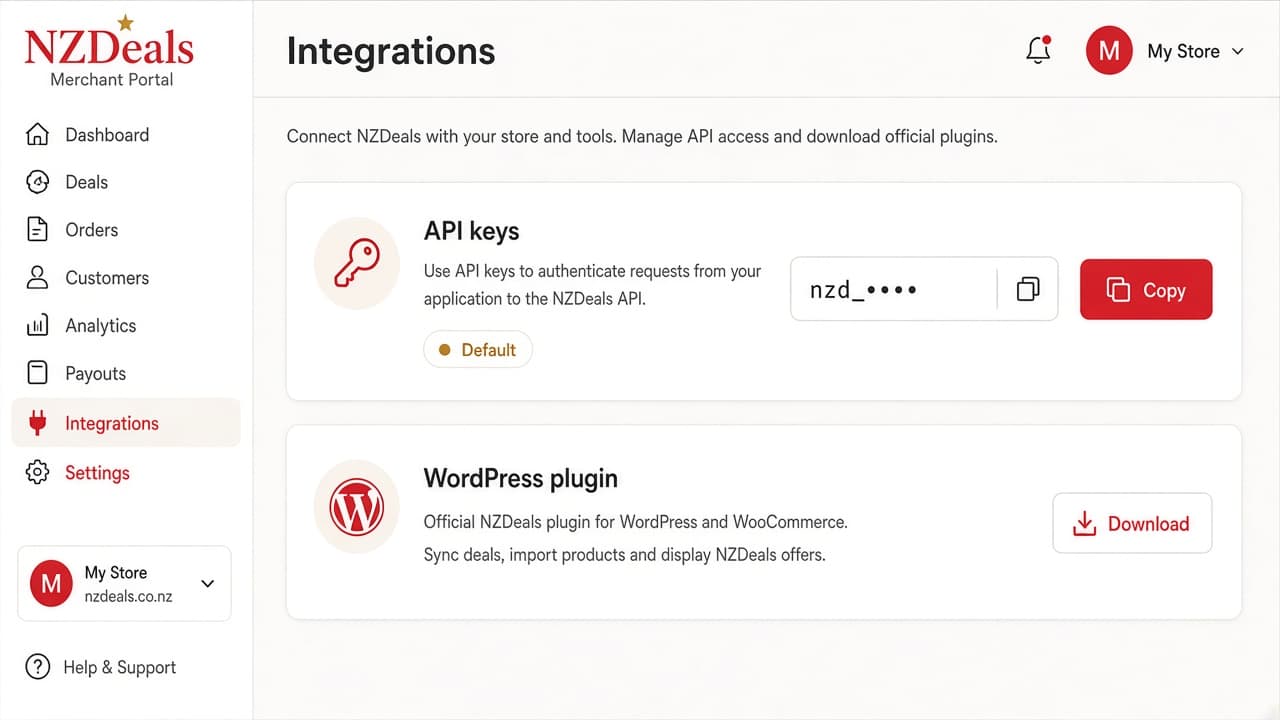
Portal Integrations — copy your NZDeals API key
2. Install the plugin
- Download the zip from Integrations (Download WordPress plugin), or upload from your computer under Plugins → Add New → Upload Plugin.
- Activate NZDeals Reviews.
- Open NZDeals Reviews in the left WordPress menu (star icon).
- Paste your API key, choose a template, click Save, then Verify.
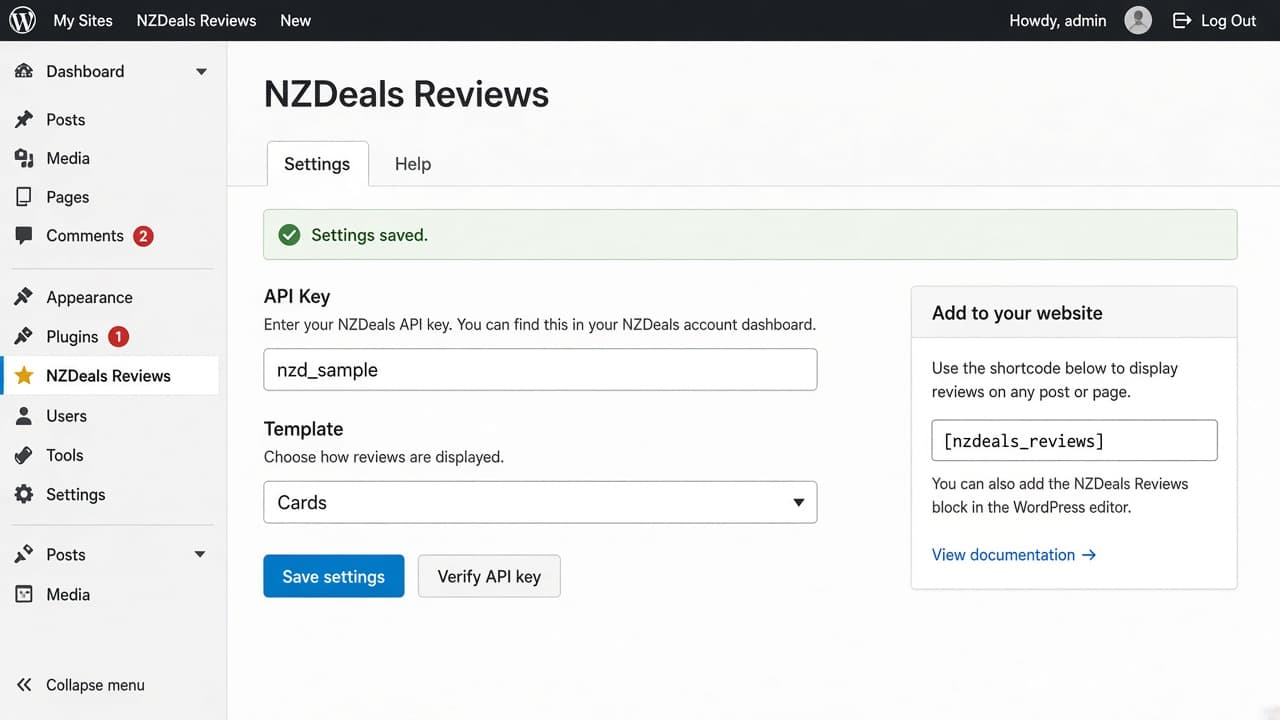
WordPress admin — paste key and verify in one screen
3. Show reviews on your site
Add this shortcode to any page or post:
[nzdeals_reviews]
Optional overrides:
[nzdeals_reviews template="compact" limit="3"]
Or use Appearance → Widgets → NZDeals Reviews.
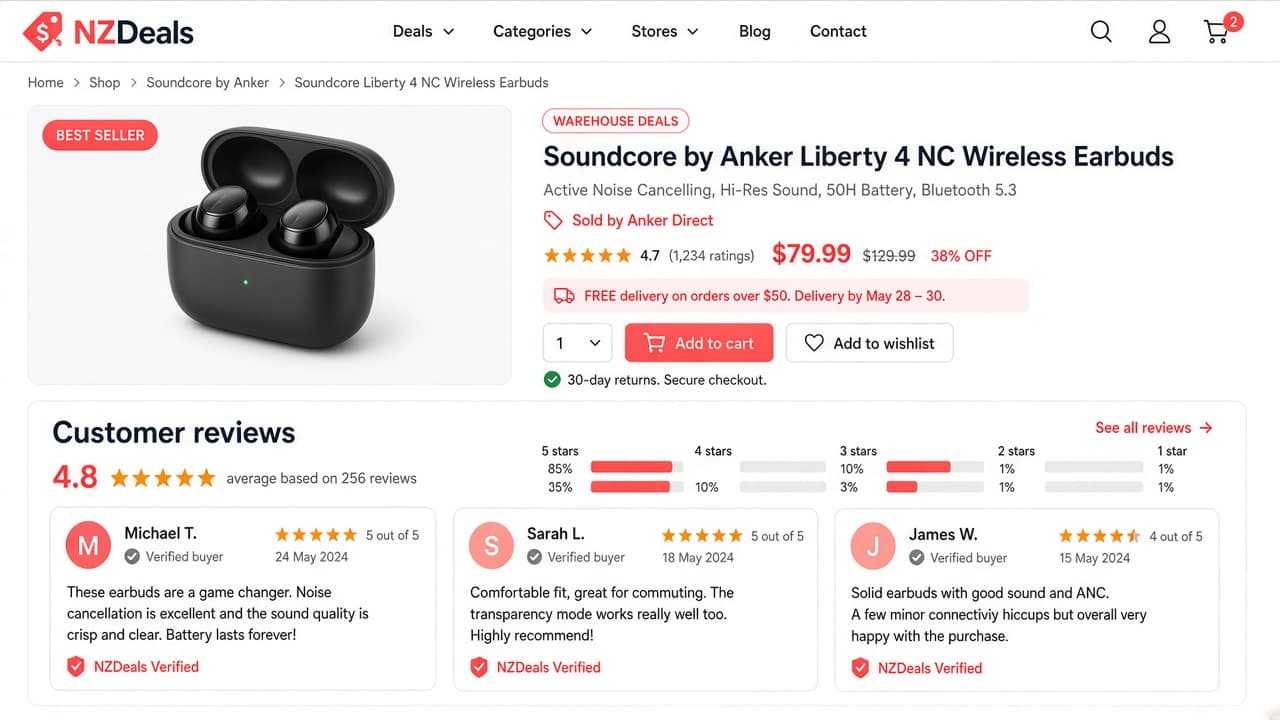
Published page — review cards from the shortcode
WooCommerce invitations (optional)
With WooCommerce active, turn on auto review emails in the same settings screen. Orders queue a “How was your experience?” invitation according to your NZDeals plan limits.
- Free — 50 invitations / month
- Growth — 500 / month + reminders
- Enterprise — unlimited + carousel template