
Shopify
NZDeals Reviews for Shopify
A theme section that loads your NZDeals reviews on the storefront. No custom app install — download the package, add the section, paste your API key.
1
Copy your API key
Portal → Integrations → copy the Default key (starts with nzd_).
2
Add the section
Download the Shopify package, upload the section into your theme, then Add section → NZDeals Reviews.
3
Paste & publish
Paste the API key in the section settings, pick a template, Save.
1. Get your API key
Sign in at portal → Store → Integrations. Copy your key — it is shown once for new keys.
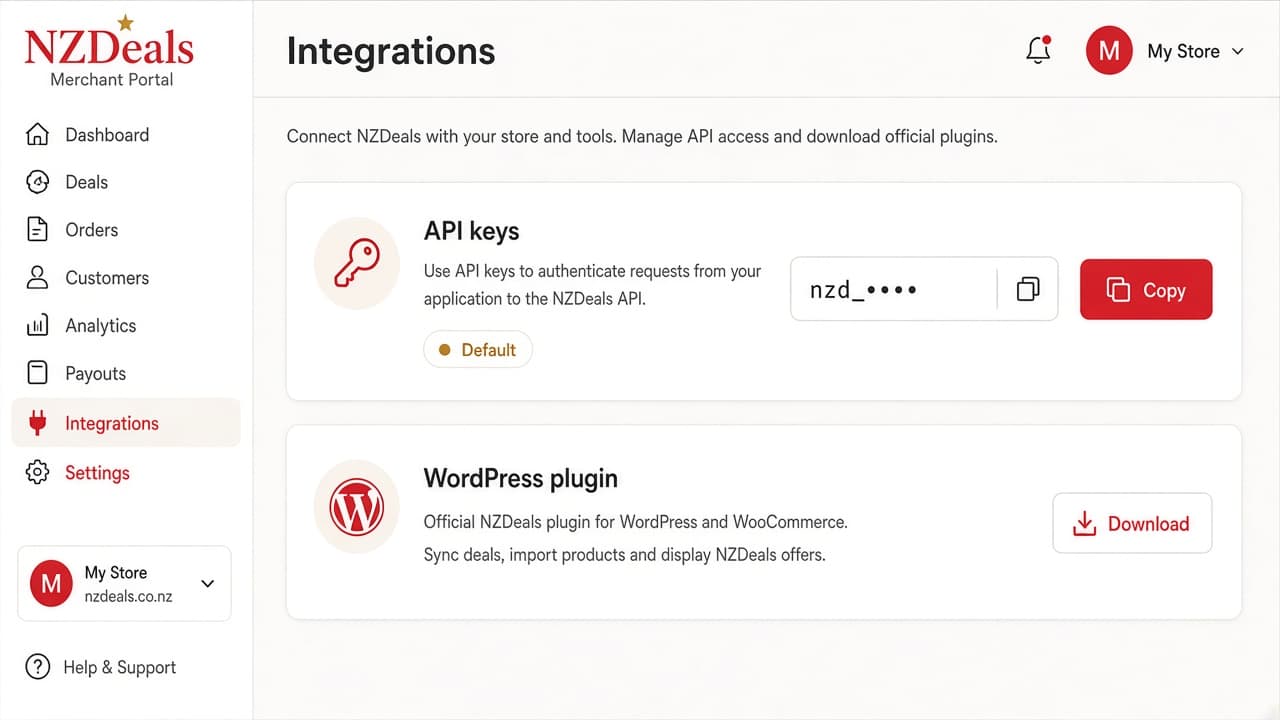
Copy the key from Integrations
2. Install the theme files
- Download the Shopify package from Integrations (Download Shopify package).
- In Shopify admin: Online Store → Themes → … → Edit code.
- Upload
sections/nzdeals-reviews.liquid(and the snippet if included) from the zip. - Customize theme → Add section → NZDeals Reviews.
- Paste your API key, choose template, Save.
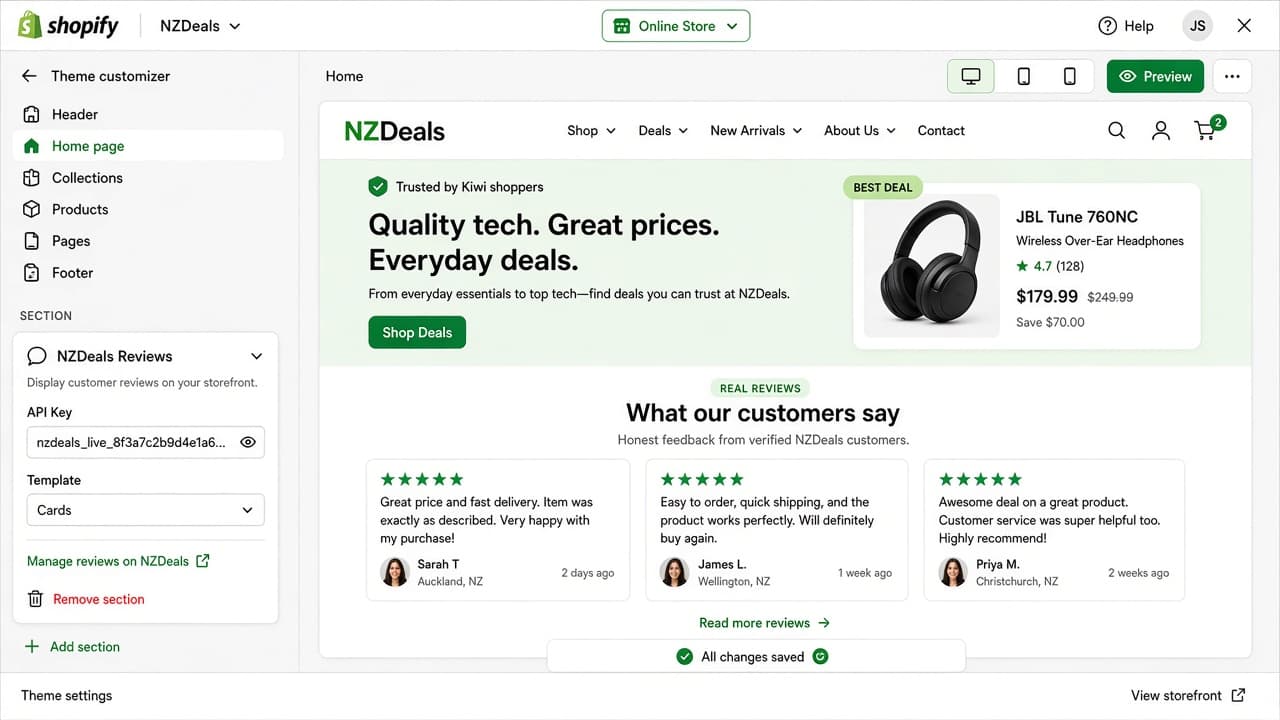
Theme editor — API key and template in the section sidebar
3. Optional: post-purchase invitations
Use the NZDeals invitations API (documented in the package README) from Shopify Flow or a custom app to email review invites after fulfilment. Limits follow your NZDeals plan.